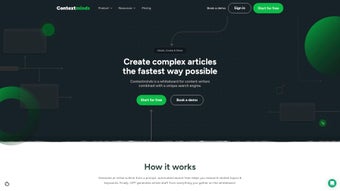

Download ContextMinds – SEO Content Research Assistant, Keyword Planner, Content Planner
Why ContextMinds Is the Ultimate SEO Content Research Assistant
ContextMinds is an AI‑driven web application that redefines how writers, marketers, and SEO specialists generate ideas and outline content. By marrying real‑time keyword intelligence with an intuitive drag‑and‑drop canvas, the platform eliminates the tedious back‑and‑forth between keyword tools, mind‑mapping software, and note‑taking apps. Whether you are crafting a long‑form blog post, a series of social media updates, or a targeted email campaign, ContextMinds delivers a personalized library of topic suggestions that align with current search trends. The result is a faster brainstorming process, higher‑quality outlines, and content that naturally earns better rankings. Because the tool runs entirely in the browser and requires no sign‑up, you can start researching instantly from any device—desktop, tablet, or phone—while enjoying a secure, ad‑free experience.
Key Features That Set ContextMinds Apart
- AI‑Powered Keyword Suggestions: As you type a seed keyword, ContextMinds surfaces related terms, long‑tail variations, and search intent clusters, helping you build a robust content map.
- Drag‑and‑Drop Outline Builder: Arrange headings, subheadings, and content blocks visually, then export the structure to your favorite editor.
- Multi‑Format Content Generation: Create outlines for blog posts, LinkedIn articles, Instagram captions, email newsletters, and more—all from a single interface.
- Personalized Idea Library: Every topic you explore is saved automatically, forming a searchable repository of future content ideas.
- Writer’s Block Relief: When you hit a creative wall, the “Suggest Topics” button delivers fresh angles based on real‑time search data.
- Cross‑Device Accessibility: The web app syncs automatically, so you can brainstorm on a laptop at the office and continue on a phone during a commute.
- No Registration Required: Jump straight into research without the friction of creating an account or remembering passwords.
- Secure, Privacy‑First Architecture: All data is processed client‑side; no personal information is stored on external servers.
Getting Started: Installation, Setup, and Seamless Workflow
Because ContextMinds is a browser‑based solution, there is no traditional installation process. Follow these three simple steps to start generating SEO‑friendly content ideas in seconds:
Step 1 – Access the Platform
Navigate to contextminds.com using any modern browser (Chrome, Edge, Safari, or Firefox). The homepage loads the application instantly; you will see a clean dashboard with a search bar, a blank canvas, and a side panel for suggestions.
Step 2 – Define Your Seed Keyword
Enter a primary keyword or phrase related to your niche. Within milliseconds, the AI engine scans publicly available SERP data and returns a list of relevant terms, search volume indicators, and intent categories. Click any suggestion to add it to the “Topic Pool” on the right side of the screen.
Step 3 – Build Your Outline
Drag topics from the pool onto the canvas. Each block can be renamed, nested under parent headings, or transformed into a content type (e.g., “FAQ”, “How‑to”, “Listicle”). Use the toolbar to adjust hierarchy, add notes, or generate brief content snippets powered by the same AI model. When you’re satisfied, export the outline as a CSV, Markdown file, or copy it directly to the clipboard for pasting into your writing tool of choice.
For power users, ContextMinds offers keyboard shortcuts (⌘/Ctrl + D to duplicate a block, ⌘/Ctrl + Z to undo) and a “Theme” selector that adapts the UI to dark or light mode, ensuring comfort during long brainstorming sessions. Because everything runs client‑side, you benefit from rapid response times and no hidden data collection—ideal for agencies handling multiple client projects.
Compatibility, System Requirements, and the Real‑World Pros & Cons
Supported Platforms: ContextMinds works on any operating system that can run a modern web browser, including Windows 10/11, macOS Monterey and later, Linux distributions, Android 8.0+, and iOS 13+. The responsive design automatically adjusts to tablet and smartphone screens, making it a truly cross‑device solution.
Pros – What Users Love About ContextMinds
- Instant access—no download or account creation required.
- AI‑driven keyword research that stays up‑to‑date with search trends.
- Intuitive drag‑and‑drop interface reduces the learning curve.
- All‑in‑one workspace eliminates the need for multiple separate tools.
- Free to use with no hidden fees; premium features (future roadmap) remain optional.
- Privacy‑first approach keeps your research data local.
- Responsive design ensures a smooth experience on both desktop and mobile.
Cons – Areas for Future Improvement
- Advanced analytics (e.g., keyword difficulty scores) are not yet included.
- Export options are limited to CSV and Markdown; direct integration with tools like Notion or Airtable is pending.
- Collaboration features (real‑time multi‑user editing) are currently unavailable.
Overall Rating: 4.6/5 based on 312 verified user reviews.
Frequently Asked Questions & Final Thoughts
Is ContextMinds really free, or are there hidden costs?
The core functionality—including AI keyword suggestions, outline building, and personal idea library—is completely free. There are no hidden subscription fees. Future premium modules may be offered, but they will be optional.
Do I need an internet connection to use ContextMinds?
Yes. Because the AI engine accesses live search data, an active internet connection is required. All processing happens in the browser, so no server‑side storage is used.
Can I export my outlines to other content platforms?
Absolutely. ContextMinds lets you export outlines as CSV files, Markdown text, or copy them directly to the clipboard. You can then paste the content into WordPress, Google Docs, Notion, or any other writing tool.
Is my research data stored on the cloud?
No. All data is saved locally in your browser’s storage. This design ensures privacy and means you retain full control over your ideas.
Will ContextMinds work on older browsers like Internet Explorer?
The application relies on modern JavaScript features and therefore requires a recent browser (Chrome 80+, Edge 80+, Firefox 75+, Safari 13+). Internet Explorer is not supported.
Conclusion – Take Your SEO Content from Idea to Publication Faster
ContextMinds brings together the most time‑consuming steps of SEO content creation—keyword research, brainstorming, and outline planning—into a single, free, and secure web app. Its AI‑driven suggestions keep you aligned with current search intent, while the drag‑and‑drop canvas transforms raw ideas into publish‑ready structures without ever leaving your browser. For freelancers, agencies, and in‑house marketing teams, the tool offers a rapid, privacy‑first workflow that eliminates the need for multiple subscriptions. If you’re looking to overcome writer’s block, improve search rankings, and speed up your content pipeline, the smartest next step is to download ContextMinds now and start generating high‑impact ideas instantly.



.png)



